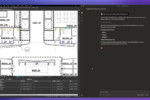

Bluebeam Revu helps construction estimators produce faster, more accurate quantity takeoffs with automatic scale calibration, Dynamic Fill for complex areas, VisualSearch for counting and Quantity Link for live Excel integration. One contractor caught a $50,000 measurement error on the first project.

This article was originally published in March 2020 and has been updated for 2026 with current tools, features and industry context.

Bluebeam Revu is a PDF-based estimation platform that construction professionals use to perform quantity takeoffs directly on digital drawings. It measures length, width, area, volume, depth, radius, slope, angle, arc and cutouts on PDF plans, then links those measurements to Microsoft Excel spreadsheets in real time through a feature called Quantity Link. For estimators, it replaces manual scaling, hand counting and disconnected spreadsheets with a single digital workflow that keeps drawings and cost data in sync.

That description is clean. The reality is messier. Estimation has always been part math, part pattern recognition, part institutional memory — and the tools an estimator uses either accelerate that process or get in the way. Revu is built to stay out of the way.

The $50,000 Error That Paid for Itself

Don Peters has been an estimator for more than three decades. As of 2020, he owned Solid Earth Civil Constructors in Pueblo, Colorado, with his wife, Rae. When a prospective client insisted the company use Bluebeam Revu to conduct an estimation as part of the bidding process, Peters was skeptical.

“I’ve been estimating for more than 30 years,” Peters said. “When I look at technology, it’s extremely scary.”

Peters put one of his employees, field operator Drake Carter, on the job. Carter completed in a single day an estimation that had taken Peters two weeks manually. More importantly, it was more accurate.

“On one item, I had 15,000 lineal feet, but Don only had like 13,600 lineal feet, which would have been like a $50,000 to $60,000 hit to the company.” — Drake Carter, Solid Earth Civil Constructors

A 1,400-linear-foot discrepancy on a single line item. That is the kind of error that does not show up until you are mid-project and the numbers stop adding up. Peters summed it up: “The first job we did with Bluebeam Revu, it paid for itself.”

Since implementing Revu for paperless estimation, Solid Earth has more than tripled its previous standard bidding output. Revu is now standard for estimators like Peters. And the tools available to them have only gotten better. Here is how the platform’s estimation features solve the specific problems that cost contractors time and money.

Eliminating Scale Errors

Miscalibrated scale is one of the most common and costly estimation mistakes. A scale set incorrectly on even a single page of a multi-sheet drawing set can introduce quantity errors of 10% or more — errors that cascade through every measurement on that page and into the final bid.

Revu addresses this with automatic scale prompts that require the user to calibrate or input a known scale on every page of a document. Once set, that scale can be applied to a range of pages, and it remains visible throughout the workflow. The platform includes common preset scales for both imperial and metric measurements, so estimators are not manually entering scale values from memory.

The result: 100% correct scale for every page of a document before a single measurement is taken. That eliminates an entire category of estimation error at the source.

Measuring Complex Spaces

Not every area on a drawing is a clean rectangle. Estimators working with irregularly shaped rooms, curved walls, cutouts and multi-zone floor plans need tools that handle geometric complexity without workarounds.

Dynamic Fill in Revu sections off and fills complex drawing regions to generate area measurements automatically. Instead of breaking an irregular space into multiple simple shapes and adding them up — a process that introduces rounding errors and takes time — Dynamic Fill traces the actual boundary and calculates the area directly. For flooring, painting, concrete and other trade-specific takeoffs, this reduces both time and error.

Counting Materials Accurately

Quantity takeoffs are not just about linear and area measurements. Estimators also need accurate counts: how many fixtures, how many outlets, how many structural connections on a set of drawings. Manual counting on large plan sets is tedious and error-prone.

Revu’s Count tool lets estimators place and track individual counts directly on drawings. VisualSearch takes this further by scanning the drawing for matching symbols or elements, identifying and counting them automatically. For MEP estimators working with hundreds of identical symbols across dozens of sheets, VisualSearch turns hours of manual counting into minutes.

Tracking Costs in Real Time

The gap between a quantity takeoff and a cost estimate is traditionally filled by manual data entry: measurements from drawings get typed into spreadsheets, where unit costs, labor rates and material prices are applied. Every manual transfer is a chance for transcription errors, version mismatches and stale data.

Quantity Link closes that gap. It creates a live connection between PDF markups in Revu and cells in a Microsoft Excel spreadsheet. As measurements are added or updated on the drawing, the corresponding spreadsheet values update automatically. Combined with custom columns for running totals, Quantity Link gives estimators a real-time cost picture that stays current as the takeoff progresses.

For teams coordinating multi-trade estimates on the same project, this means everyone is working from the same live data — not emailing spreadsheet versions back and forth and hoping the numbers match. As Deepak Maini, a mechanical engineer with more than 20 years of experience, has noted: setting up custom columns for unit price and formula-based cost calculations means estimators can see dollar values updating in real time as they measure.

Managing Drawing Revisions

Construction drawings change. Addenda arrive, design revisions land, and the estimator has to figure out what moved without starting over. This is where a lot of takeoffs fall apart: the drawings update, but the measurements do not, or the estimator recalibrates for the revised sheets and accidentally changes the scale on pages that were already correct.

Viewports in Revu allow estimators to create or edit detailed breakdowns of design features within a page, each with its own independent scale setting. If a feature is magnified five times for detailed estimation, the Set Scale reflects that magnification precisely. Viewports can also be shifted to their own page or cleared entirely using Clear All from Page, leaving the original page and its correct scale unchanged.

This is especially valuable when handling addenda: the estimator can overlay the revised drawing against the original, identify what changed, and update only the affected measurements — without touching anything that was already correct. For a deeper look at how revision workflows break down in practice, see why most takeoffs fall apart when drawings change.

What This Adds Up To

Revu’s estimation tools are not a single feature. They are a workflow: set scale accurately, measure complex areas, count materials, link everything to a live spreadsheet, and manage revisions without rework. Each tool solves a specific estimation problem; together they replace the disconnected, manual processes that cost contractors time and money.

The platform also renders complex plans up to six times faster than previous versions with a hardware-accelerated rendering engine, so panning and zooming across large drawing sets feels fluid rather than sluggish. And like everything in Revu, the estimation tools are highly customizable — users can create custom tool sets, profiles and data-tracking features tailored to their specific estimation workflow.

And the platform keeps evolving. Bluebeam Max, Bluebeam’s new AI-powered premium plan, adds capabilities that extend directly into the estimator’s workflow. Smart Review scans construction documents for design issues, scope gaps and discrepancies before they become costly change orders. Smart Overlay detects drawing changes across phases and disciplines with AI precision, generating visual comparisons and trackable reports — exactly the kind of revision intelligence that estimators need when addenda arrive and quantities need updating. Max also connects Revu to Anthropic’s Claude, letting users query their drawings and markup data using natural language prompts, and introduces Stitching to combine sheets from different parts of a project into a single continuous view. For estimation teams managing large, multi-discipline plan sets, these tools turn drawing review from a bottleneck into a competitive advantage.

For contractors like Don Peters, the calculation is simple. A tool that catches a $50,000 error on day one is a tool that earns its place on every bid after that.

Frequently Asked Questions

How do I set scale in Bluebeam Revu?

Revu automatically prompts you to calibrate or input a known scale on every page of a PDF document. You can accept one of the common imperial or metric presets or enter a custom scale based on a known dimension on the drawing. Once set, the scale can be applied to a range of pages, and it remains visible throughout the estimation workflow. This ensures every measurement taken on that page is accurate to the drawing’s actual dimensions. For more on calibration best practices, see Deepak Maini’s tips in Quantity Takeoffs Are the Best Kept Secret in Bluebeam Revu.

What is Dynamic Fill in Bluebeam?

Dynamic Fill is a measurement tool in Revu that sections off and fills complex, irregularly shaped regions on a drawing to calculate area automatically. Instead of breaking a complex space into multiple rectangles and triangles, Dynamic Fill traces the actual boundary of the region and returns the area measurement directly. It is particularly useful for flooring, painting, concrete and other trade-specific takeoffs where room shapes are not simple rectangles.

How does Quantity Link work with Excel?

Quantity Link creates a live, bidirectional connection between markup measurements on a PDF in Revu and corresponding cells in a Microsoft Excel spreadsheet. As you add, modify or delete measurements on the drawing, the linked spreadsheet values update automatically in real time. This eliminates manual data entry between the takeoff and the cost estimate and ensures that the spreadsheet always reflects the current state of the drawings. For a full walkthrough, see our deep dive into Quantity Link.

Can Bluebeam Revu replace dedicated estimation software?

For many contractors and estimators, Revu serves as a complete estimation platform for quantity takeoffs. It handles measurement, counting, scale management, drawing comparison and live Excel integration in a single PDF-based workflow. Some teams use Revu for the takeoff phase and export the data to dedicated costing platforms for final bid preparation. The Quantity Link feature bridges these workflows by keeping the spreadsheet data synchronized with the drawings.

How do Viewports help with quantity takeoffs?

Viewports allow estimators to create magnified or isolated views of specific design features within a page, each with its own independent scale setting. This is useful for detailed estimation of complex elements that appear at a different scale than the rest of the page. Viewports can be created, edited, moved to their own page, or cleared without affecting the original page’s scale or measurements, which makes them particularly valuable when handling drawing revisions and addenda.

What is a quantity takeoff in construction?

A quantity takeoff is the process of measuring and listing all materials, quantities and dimensions from construction drawings. It is an essential early step in the estimation process: the takeoff produces the raw quantity data, which the estimator then prices with unit costs, labor rates, equipment costs and overhead to produce a full cost estimate. Accurate takeoffs are the foundation of competitive, profitable bids.

See How Bluebeam Helps Estimators Win More Bids

Ready to try digital takeoffs on your next project? Start a free trial of Bluebeam and see how Revu’s estimation tools work on your own drawings.

Related on BUILT:

Bluebeam Quantity Link: A Deep Dive into Real-Time PDF-to-Excel Sync

Quantity Takeoffs Are the Best Kept Secret in Bluebeam Revu

How ClearTech Used Digital Estimation to Win 50% More Projects

Your Takeoff Is Wrong. Here’s Why That Matters More Than You Think.

Why Most Takeoffs Fall Apart When Drawings Change

The Power of Digitizing Quantity Takeoffs

Solid Earth Civil Constructors: The Full Case Study

ClearTech Engineered Solutions, a Dublin-based post-tensioning specialist, increased its project win rate by 50% after implementing Bluebeam Revu for digital estimation — cutting its printing budget by two-thirds, reducing drawing comparison time from half a day to 25 minutes, and expanding from Ireland to international markets including Asia and the Middle East.

This article was originally published in March 2020 and has been updated for 2026 with expanded detail, current context and direct quotes from the ClearTech team.

Feargal Cleary founded ClearTech Engineered Solutions in Dublin in 2010, at the bottom of a construction industry downturn. His thesis was specific: traditional construction models were giving way to technology-driven, environmentally sustainable approaches that would reward leaner, more technically precise operations. So he built something small and focused — the first concrete post-tensioning service in Ireland.

Post-tensioning is a structural technique that casts concrete with steel cables in ducts, then tensions the cables to compress the cured concrete. The resulting slab combines the compressive strength of concrete with the tensile strength of steel, using significantly less material to achieve higher structural performance than traditionally reinforced concrete. For ClearTech, it was also a sustainability story: less concrete, less reinforcement, lower environmental impact over the lifetime of the structure.

By 2018, ClearTech’s reputation had grown to the point where the firm was fielding more tender estimation requests than it could answer. That was the problem. And the solution — Bluebeam Revu for digital estimation — is what turned a capacity constraint into a competitive advantage.

The Challenge: More RFQs Than the Estimation Process Could Handle

In 2018, ClearTech’s estimation workflow was still largely analog. The team worked from A3 and A1 prints, often losing half a day waiting for designs to arrive from the printers before spending hours marking and measuring drawings by hand. Everyone was using PDFs to release design information, but there was no efficient way to quantify material measurements digitally.

The time-intensive process was also prone to errors. Inaccurate estimations meant rework. Rework meant cost. And with more RFQs arriving than the team could respond to, the bottleneck was clear: if ClearTech was going to grow, it needed to fundamentally change how it estimated.

The Solution: Bluebeam Revu as the Digital Center of Operations

ClearTech was introduced to Bluebeam Revu by the team at Powergreen Digital, who then trained the firm on digital estimation using Revu’s automatic measurement tools and exportable metadata. The results came quickly.

The printing budget was cut by two-thirds almost immediately, saving thousands of euros. With proposals less bogged down in administration, there was more time to evaluate new projects and refine the estimation process itself. It did not take long for Revu to expand beyond estimation into the core of ClearTech’s entire digital operation.

“What we’re seeing now is that we can think ahead and we can look forward and that there’s a consistency of projects that are coming in now that we didn’t have before. And that’s what we are seeing now that we’ve started to use Bluebeam.”  — Feargal Cleary, CEO, ClearTech Engineered Solutions

Today, everything that happens at ClearTech before going on a jobsite runs through Revu — estimations, design and revisions, QA/QC, document management and field communication.

From Half a Day to 25 Minutes: The Overlay Tool

One of the most immediate workflow transformations came from Revu’s overlay tool, which ClearTech’s engineers adopted for the design revision process. Construction projects generate hundreds of drawing revisions; tracking what changed between versions and keeping every stakeholder aligned is a significant time cost on any project.

Before Revu, the ClearTech team would print two drawings — the current revision and the previous version — and compare them side by side by hand. Thiago Tamm, a ClearTech structural engineer, described the process plainly.

“It would take well over half a day to go through these drawings to compare changes. But with the overlay tool, you can just do it now in fewer than 25 minutes and you’re done with comparing.”  — Thiago Tamm, Structural Engineer, ClearTech

Leticia Siqueira, another ClearTech structural engineer, uses the overlay tool to track changes that happen both in the design phase and at the construction stage. When new revisions arrive, she can immediately identify what moved and act on it. The result: faster markup methods, reduced work hours per project, and a reliable single source of truth for all parties.

KPIs, Custom Columns and Continuous Improvement

ClearTech’s use of Revu extended into operational intelligence. The firm uses custom column sets in Revu to set key performance indicators for engineers on site, tracking how long each task requires and feeding that data into subsequent budget estimates. By analyzing labor time and material consumption across projects, ClearTech can continually refine its cost models — reducing waste in both material and wages with each completed job.

Cleary described the operational picture: using customized columns in Revu, the team gets an accurate understanding of what is being used on site, what is required and what needs to be ordered. That insight flows from the field back into the office, where it informs the next estimate.

This feedback loop — where every project completion adds data to the company’s business intelligence — fits ClearTech’s larger lean approach. Smaller team, sharper tools, fewer surprises. The firm has 20 full-time employees and competes for projects alongside significantly larger contractors.

Field Communication and QA/QC via Bluebeam Studio

ClearTech also adopted Bluebeam Studio for cloud-based communication between the office and the jobsite. Tamm described it directly: the team uses the cloud-based system to ensure the newest drawings are always available for field crews to follow the current revision. Siqueira added that Revu allows ClearTech to communicate changes on site — and to do so more efficiently and more personally with employees and contractors.

On the compliance side, Revu supports ClearTech’s QA/QC processes and its obligations under Ireland’s Building Control Amendment Regulations (BCAR), which require tracking materials used in building and renovations. Accurate, auditable records are not optional in this regulatory environment; they are a legal requirement. Revu’s document management capabilities make that recordkeeping systematic rather than administrative.

“The other companies that we work with, they use Bluebeam as well. And we communicate using the same software so we have more concise and accurate comments and reviews on the drawings.”  — Thiago Tamm, Structural Engineer, ClearTech

The Results: 50% More Projects Won, International Expansion

Since adopting Revu for digital estimation, ClearTech has won an additional 50% of the projects it bids on. Its client portfolio expanded to include data center and commercial projects for companies such as Salesforce, Meta and Amazon. And the firm has taken its business international, completing projects in Saudi Arabia, Vietnam, the Philippines, Malaysia and Indonesia, where it opened a dedicated office to support regional growth.

The most important difference, Cleary said, might be cultural. The entire team has used the technology to raise its ambitions — and its performance.

“We want to be a leading light in the industry, and we’re pushing the likes of Bluebeam to demonstrate there is an opportunity for innovation in the industry here in Ireland.”  — Feargal Cleary, CEO, ClearTech Engineered Solutions

What Other Contractors Can Take From the ClearTech Story

ClearTech’s transformation is not a story about technology replacing expertise. Feargal Cleary and his team knew post-tensioning. What they did not have was an estimation and documentation workflow that could keep pace with their project pipeline. Revu gave them that — and the efficiency gains compounded across every part of the business.

A few transferable lessons from the ClearTech case:

Digital estimation removes the analog bottleneck. Half a day lost to printing and hand-measuring drawings is half a day not spent evaluating new opportunities. The move to digital takeoffs is not incremental — it changes how many bids a team can realistically pursue.

Drawing comparison tools pay for themselves fast. Reducing revision comparison from half a day to 25 minutes across a project with hundreds of drawing revisions is a measurable time recapture. That time goes somewhere — either into more bids or into better bids.

Custom data collection builds institutional knowledge. By tracking labor time and material use on every project with custom columns in Revu, ClearTech turned each completed job into a data point that improved the next estimate. That compounding accuracy is a structural advantage over firms that reset after every project.

A shared platform closes communication gaps. When the estimating team, the engineering team, the field crew and the client are all working in the same software, reviews are more precise and revisions travel faster. Tamm’s observation — that working in the same platform as clients produces more concise and accurate comments — is a real competitive signal in markets where drawing coordination delays are a standard cost of doing business.

Looking ahead: Bluebeam Max, the new AI-powered premium plan, adds Smart Overlay for AI-precision revision detection across drawing phases — taking the overlay workflow ClearTech used to cut comparison time from half a day to 25 minutes and extending it with AI-generated change reports and trackable comparisons across disciplines. Smart Review scans documents for design issues before they become estimation problems, and Claude AI integration lets teams query their drawings and markup data with natural language prompts. For specialty contractors managing complex, revision-heavy projects like ClearTech’s post-tensioning work, these tools extend the efficiency gains that Revu already delivers.

Frequently Asked Questions

How does Bluebeam help contractors win more bids?

Bluebeam Revu accelerates the quantity takeoff and estimation process by replacing manual, paper-based workflows with digital measurement tools that are faster and more accurate. Faster estimation means a firm can respond to more RFQs in the same time window. More accurate estimation means fewer costly errors in the bids that are submitted. ClearTech won 50% more projects after implementing Revu for estimation, primarily because it could respond to more opportunities without sacrificing quality.

What is post-tensioned concrete construction?

Post-tensioning is a method of reinforcing concrete by casting it with steel cables (tendons) in ducts within the concrete, then tensioning those cables after the concrete has cured. The tensioning process compresses the concrete, giving it greater structural strength than traditional reinforcement while using significantly less material. Post-tensioned structures are common in bridges, parking structures, high-rise buildings and civil infrastructure. The reduced material use also makes post-tensioning a more sustainable option than conventional concrete construction.

How do digital estimation tools reduce construction costs?

Digital estimation tools reduce costs in several ways: they eliminate printing costs for drawings and revisions, reduce the time spent on manual measurement and data entry, catch quantity errors before they reach the bid, and speed up the revision process when drawings change. ClearTech cut its printing budget by two-thirds immediately after adopting Revu, and reduced drawing comparison time from more than half a day to under 25 minutes. These time savings translate directly into lower overhead per bid and more capacity to pursue additional projects. For a broader look at the impact, see The Power of Digitizing Quantity Takeoffs.

How does Bluebeam Revu support QA/QC on construction projects?

Revu supports QA/QC through its document management, markup and annotation tools, and integration with Bluebeam Studio for cloud-based collaboration. Teams can track revisions, annotate drawings with issues and resolutions, maintain an auditable record of changes and ensure all parties are working from the current drawing version. For ClearTech, Revu also supports compliance with Ireland’s Building Control Amendment Regulations (BCAR), which require documented tracking of materials used in construction.

How does Bluebeam help with drawing revision management?

Revu’s overlay tool allows engineers to compare two versions of a drawing side by side, visually highlighting differences between revisions. What previously required printing and manually comparing two drawings — a process that ClearTech estimated at more than half a day per comparison — can be completed in under 25 minutes with the overlay tool. Combined with Bluebeam Studio for cloud document management, teams always know which drawing version is current and can communicate revisions to the field immediately.

See the Full ClearTech Case Study

Read the full ClearTech case study on bluebeam.com or start a free trial of Bluebeam to see how Revu’s estimation and document management tools can work for your team.

Related on BUILT:

Bluebeam for Estimation: How Digital Takeoffs Reduce Errors, Save Time

Bluebeam Quantity Link: How Real-Time PDF-to-Excel Sync Changes Construction Estimation

Construction Cost Estimation: Essential Resources, Software and Tools for 2026

Quantity Takeoffs Are the Best Kept Secret in Bluebeam Revu

The Power of Digitizing Quantity Takeoffs

Why Most Takeoffs Fall Apart When Drawings Change

Germany's most prosperous mid-size city is replacing a failing bridge, finishing a years-late train and staring down a housing gap that just keeps widening. The math works fine for everyone who already owns something.

The Theodor-Heuss-Brücke has been carrying Düsseldorf across the Rhine since 1957. As of Feb. 1, 2026, it cannot legally carry a vehicle heavier than 3.5 metric tons — barely a loaded cargo van.

The city council voted in July 2025 to replace it. €37 million in emergency stabilization buys time; planning takes years; construction won’t finish this decade. Heavy freight reroutes around it — and the IHK Düsseldorf has noted, bluntly, that the alternative crossings are weight-restricted too. There aren’t a lot of options left for anything heavy.

This is what building in Düsseldorf looks like in 2026. Major surgery on a city that’s still wide open for business. Not impossible. Just expensive — and the costs aren’t landing evenly.

The City That Works, on Infrastructure That Doesn’t

Düsseldorf is the capital of North Rhine-Westphalia: around 620,000 people, a banking hub, one of the world’s most important trade fair cities. Messe Düsseldorf generates an estimated €2.98 billion in nationwide sales and 27,700 jobs in a normal year, per the ifo Institute. More than a million trade visitors come through annually.

On paper, the problem isn’t construction; it’s a backlog. Office construction sat at roughly 140,000 square meters in early 2026 — well below long-term averages. Vacancy is around 1.28 million square meters at 12.7%, up roughly a point year over year. Hybrid work hollowed out conventional demand. What’s leasing is leasing less, in better buildings, with better energy ratings. Everyone else is waiting.

Six Years to Build a Train to the Airport

The U81 Stadtbahn was supposed to link the rail network to the airport and Messe grounds in time for UEFA Euro 2024. Five matches were played at the Düsseldorf Arena that summer. Hundreds of thousands of visitors came through. The U81 wasn’t running.

Construction began in late 2019. Original budget: roughly €230 million. By December 2022 — pandemic, war in Ukraine, raw material spikes — it was €336.3 million, a 46% overrun. Then came the low voltage screwup.

In autumn 2024, the city found that the Niederspannungsanlage — the cable system for lighting, controls and displays — had been miscalculated. A second firm got pulled in. That single package became a chokepoint for up to 40 downstream work packages. By April 2025, the opening had slipped to Q2 2026. In January 2026, Rheinbahn CEO Annette Grabbe told the Rheinische Post it would open “by June 30 at the latest.” The technical board member who’d run the project, Michael Richarz, left the Rheinbahn effective May 19, 2025.

The engineering, for what it’s worth, is genuinely impressive. The Nordsternbrücke — a 441-meter, semi-integral steel truss bridge, incrementally launched over a live autobahn interchange across nine cycles — won the European Steel Bridge Award in 2024. The underground airport station, cut-and-cover beneath the arrivals level and designed to carry future buildings on top, is serious work.

What the U81 tells you isn’t that Düsseldorf can’t handle complexity. It’s that you budget for delay before you budget for concrete. The full system — eventually crossing the Rhine toward Neuss and Meerbusch (the crossing alone is pegged at €215–€275 million) and pushing east toward Ratingen — runs into the 2030s.

The Housing Math Nobody Has Fixed

Four is the number that explains Düsseldorf’s construction market — the consecutive years NRW building permits have declined. In 2024, NRW approved just 40,554 apartments, down 34% from 2021 and the lowest since 2012. Nationally, completions hit 251,900 — a 14% drop, the weakest output since 2010. The government’s target was 400,000. ZIA’s 2024 forecast put the shortfall at 600,000 units, on a trajectory to 830,000 by 2027.

Düsseldorf’s pressure is acute. BBSR’s housing-demand projections put new-build need for major cities at 45 apartments per 10,000 residents per year, with hot markets like Munich at 74. Düsseldorf sits in the higher-need cluster. The city’s 8,000-unit housing initiative through 2030, backed by a €140 million Impulsprogramm running through 2027, acknowledges the gap. It won’t close it.

New construction commands a steep premium. New-build asking rents run around €22 per square meter — about 45% above the city average. Oberkassel purchase prices sit around €6,600–€6,800 per square meter; Oberbilk closer to €3,900. And Düsseldorf condominium prices rose 8.9% year-over-year in Q2 2025 — fastest among Germany’s top seven, per Cushman & Wakefield. The people building those apartments mostly aren’t the people who can afford to live in them.

The Energy Retrofit Mandate Nobody Agreed On

Germany’s Gebäudeenergiegesetz — the Building Energy Act — is one of the most contested laws in recent German politics. The 2023 version mandating heat-pump installation triggered a backlash that gutted the governing coalition’s standing well before it finally collapsed over the federal budget fight in late 2024. What survived still pushes decarbonization, just slower. The CDU/CSU–SPD coalition’s February 2026 Eckpunktepapier proposes scrapping the core requirements — but as of late April 2026, the bill is stuck in cabinet dispute. The existing law stands.

On the ground, retrofit is real construction work. KfW covers up to 70% of heat-pump installation costs for private homeowners. Germany sold 299,000 heat pumps in 2025, up 55% year over year — the first year they were roughly half of all heating appliance sales, though BWP itself notes the rebound partly reflects dealers clearing 2023 inventory rather than pure demand growth. National installer backlogs eased through 2025; specialized HVAC capacity is still tight.

Düsseldorf’s Wärmeplan — the mandated heat-transition road map — is scheduled to go to council May 7, 2026 (provisional). Today, 92% of the city’s heat is fossil. The municipal target is climate neutrality by 2035. In the Altbau stock that defines the inner city, getting from here to there means external insulation that often won’t fly on heritage facades, internal insulation that eats floor area, and heat-pump retrofits that routinely double in scope once the walls open up. The contractors who do this well are booked.

Labor Is the Binding Constraint

Across housing, office renovation, infrastructure and energy retrofit, the constraint is the same. IW Köln projects a nationwide skilled worker shortfall of 768,000 by 2028 — up nearly 60% from 2024’s 487,000 gap. Around 62% of Tiefbau firms — civil engineering and underground construction — can’t fill the roles they have. That’s the highest rate of any subsector. In a market defined by exactly that work, the number matters.

New apprenticeship contracts in construction ran well below the retirement rate in 2024. Roughly 40% don’t finish. The average construction worker exits active employment at 58, and one in three pension recipients in the sector draws a disability pension. The physical reality of the job makes this structural, not cyclical.

Germany’s €500 billion infrastructure Sondervermögen is starting to flow, with NRW set to receive roughly €21.1 billion. That money is chasing the same constrained labor pool. More funding without more workers doesn’t build faster. IW Köln warned in early 2026 that the skills gap could brake the entire investment impulse.

Why Düsseldorf Is Worth Watching Anyway

The case for Düsseldorf isn’t that it’s solved any of this. The bridge is failing. The train is late. The housing gap is widening. The case is that Düsseldorf is doing something harder than building in a city with room to grow: replacing major pieces of a working city’s infrastructure in real time. That’s the job facing every western European city that built its bones in the postwar boom and is now watching them age out at once.

The U81’s Rhine crossing — planning starting now, construction around 2030 — will tie Heerdt and Lörick to the transit spine for the first time. Developers who positioned in those corridors made a smart call. The Theodor-Heuss-Brücke replacement builds in a structural provision for later rail integration even though the current plan doesn’t fund it. Optionality on something the city will use for 60 years.

Policy is moving too. Germany’s “Bau-Turbo” fast-track permitting, in force since October 30, 2025, cuts review timelines for densification and adaptive reuse. Modular construction is still about 5% of the residential market by unit count, but mainstream bank financing is normalizing. Unmet demand is the mother of method change.

Düsseldorf’s construction market in 2026 is under real pressure — from a city that’s genuinely growing, genuinely in demand and genuinely constrained. The math works fine for everyone who already owns something. The question is whether it can build fast enough for everyone else.

Still chasing drawings across emails and versions? Fix it.

Construction cost estimators rely on reference cost databases, digital takeoff software, professional estimation services and industry certification to produce accurate bids. Here are the essential resources for 2026, including how Bluebeam fits into the modern estimator’s toolkit.

This article was originally published in October 2021 and has been updated for 2026 with current tools, resources and industry context.

Construction cost estimation is the process of forecasting the total cost of a construction project before work begins. It covers materials, labor, equipment, subcontractor costs, overhead and contingency, and it is the foundation of every competitive bid. A miscalculation at this stage does not stay contained but compounds through procurement, scheduling and contract terms, and it can turn a profitable job into a loss before the first shovel breaks ground.

Estimators in 2026 draw on four categories of resources: reference cost databases, digital takeoff and estimation software, external estimation services and professional development and certification. The right mix depends on project type, company size and market. Here is what each category looks like and what to look for.

Reference Cost Databases

Accurate estimation starts with accurate cost data. Unit costs for materials and labor vary by region, trade and market conditions, and experienced estimators know better than to rely on memory or outdated figures. Reference cost databases provide current, verified benchmarks that anchor the estimate.

RSMeans

RSMeans, published by Gordian, is the most widely used construction cost database in the United States and the recognized standard for public-sector procurement, insurance valuations and independent cost verification. Updated annually, RSMeans provides unit cost data for thousands of line items across residential, commercial and industrial construction, organized by CSI division and adjusted for regional cost factors. It is available in print and through an online platform that allows estimators to build cost models and export data directly.

For estimators working on US projects, RSMeans is the baseline. For Australian market readers, the Rawlinsons Australian Construction Handbook serves the equivalent function and remains the standard reference for projects there.

Regional and Trade-Specific Cost Guides

Beyond national databases, many estimators rely on trade-specific guides: the AISC Steel Construction Manual for structural steel, NECA labor unit manuals for electrical, MCAA labor standards for mechanical. These provide the granular unit costs and labor productivity rates that generalist databases approximate. Specialty contractors in particular benefit from trade-specific data that reflects the actual conditions of their work.

Digital Takeoff and Estimation Software

The single highest-impact upgrade an estimator can make is moving from paper-based or manual digital processes to purpose-built takeoff software. The difference is not incremental — it is categorical. Manual processes introduce scale errors, transcription mistakes and version drift. Digital tools eliminate entire categories of error at the source.

Bluebeam Revu

Bluebeam Revu is the industry’s leading PDF-based estimation platform, used by more than 4 million AEC professionals worldwide. Estimators use Revu to perform quantity takeoffs directly on PDF drawings, with tools including automatic scale calibration (which enforces correct scale on every page before a measurement is taken), Dynamic Fill for complex area measurements, VisualSearch for automated symbol counting, and Quantity Link for live synchronization between PDF markups and Microsoft Excel spreadsheets.

The platform’s impact is well documented. Solid Earth Civil Constructors caught a $50,000 measurement error on its first project using Revu and has since more than tripled its bidding output. ClearTech Engineered Solutions, an Irish specialist contractor, won 50% more projects after implementing Revu for estimation. For most commercial, civil and specialty contractors, Revu functions as a complete estimation platform for the takeoff phase, with Quantity Link bridging the output to whatever costing platform the team uses downstream.

Looking ahead: Bluebeam Max, the new AI-powered premium plan, adds Smart Review for catching design issues before they become change orders, Smart Overlay for AI-precision revision detection across drawing phases, and Claude AI integration for querying drawings and markup data with natural language prompts. For estimation teams managing large or complex plan sets, these tools close the gap between drawing review and quantity takeoff.

Specialized Estimation Platforms

For teams that require dedicated cost-modeling beyond what a takeoff tool provides, platforms such as STACK, PlanSwift and Sage Estimating offer built-in cost assemblies, bid management and integration with project management systems. These are more common among general contractors managing multi-trade estimates and bid packages at scale. Many teams use Bluebeam for the takeoff phase and export the quantity data into one of these platforms for final pricing.

External Estimation Services

Not every firm has the in-house capacity to handle every type of estimate. Smaller teams, firms bidding outside their typical project type, and organizations responding to an unusually high volume of RFQs often turn to external estimation consultants. These are specialists who perform takeoffs, feasibility studies, full estimates and cost analyses on a project or retainer basis.

External estimators bring several advantages beyond capacity. They carry current market knowledge across multiple project types, they are not subject to the institutional biases that can affect in-house estimates, and they often have direct relationships with subcontractors and suppliers that inform their pricing. The tradeoff is cost and turnaround time. For high-value or technically complex bids where internal expertise is thin, the investment is typically justified.

The key is vetting for trade and project type alignment. A civil estimator and an MEP estimator are not interchangeable. Look for consultants with direct experience in your specific project category and ask for references from comparable projects.

Professional Development and Certification

Estimation is a skilled discipline, and formal training accelerates the learning curve for new estimators and fills gaps for experienced ones. The recognized certifications in the field provide both technical grounding and professional credibility.

Certified Professional Estimator (CPE)

The CPE designation, offered by the American Society of Professional Estimators (ASPE), is the most recognized credential for construction cost estimators in the US. It requires documented experience, a written examination and continuing education. ASPE also publishes the Standard Estimating Practice manual, which is a useful reference for estimating methodology regardless of whether a candidate pursues the credential.

Certified Cost Professional (CCP)

The CCP, offered by AACE International (the Association for the Advancement of Cost Engineering), is broader in scope and recognized across construction, engineering and project management. It is particularly valuable for estimators working on large capital projects, infrastructure and energy, where cost engineering and cost control functions overlap with traditional estimation.

RICS Quantity Surveying Credentials

For estimators working in international markets or on projects governed by UK and Commonwealth standards, the Royal Institution of Chartered Surveyors (RICS) credentials — particularly the AssocRICS and MRICS designations — are the recognized standard. Quantity surveyors with RICS credentials are the default for procurement, contract administration and cost management on most major UK, Australian and Middle Eastern construction projects.

Bluebeam University

Beyond formal credentialing, Bluebeam University offers training courses specifically on Revu’s estimation and takeoff workflows, including quantity takeoffs, Quantity Link and custom column setup. For estimators already using Revu, structured training on the platform’s estimation features consistently produces measurable improvements in speed and accuracy.

What Separates a Good Estimate from a Costly One

The resources above provide the infrastructure for good estimation. What they cannot replace is disciplined process. The most common estimation failures are not knowledge gaps; they are process failures: working from an outdated drawing set, miscalibrating scale on a single sheet and not catching it, saving takeoffs to a personal drive with no version control. These mistakes are preventable with structured workflows and the right tools.

As one analysis of common takeoff failures notes, one miscalibrated scale can introduce roughly 10% quantity error across an entire sheet — an error that compounds into the final bid and does not surface until the project is underway. Digital tools with automatic scale enforcement, version-controlled document management and live cost synchronization eliminate the conditions that produce these errors.

The estimator’s job has always been to convert uncertainty into a defensible number. The tools and resources above do not remove that uncertainty but give the estimator the best possible foundation for managing it.

Frequently Asked Questions

What is construction cost estimation?

Construction cost estimation is the process of forecasting the total cost of a construction project, including materials, labor, equipment, subcontractor costs, overhead and contingency. Estimators use drawings, specifications, historical data, reference cost databases and digital tools to produce cost projections before bidding or budgeting. The estimate determines whether a project is financially viable and forms the basis of the contractor’s bid.

What software do construction cost estimators use?

Construction estimators commonly use Bluebeam Revu for digital quantity takeoffs directly on PDF drawings, with Quantity Link for live Excel integration. Other tools in the estimator’s stack include RSMeans for cost data, STACK or PlanSwift for bid assembly, and Procore or Autodesk Construction Cloud for project management integration. The specific combination depends on company size, project type and the estimator’s workflow.

What is the difference between a quantity takeoff and a cost estimate?

A quantity takeoff is the process of measuring and listing all materials, quantities and dimensions from construction drawings. A cost estimate takes those quantities and applies unit costs, labor rates, equipment costs, overhead and profit margins to forecast total project cost. The takeoff is an input to the estimate — inaccurate quantities produce inaccurate estimates regardless of how precisely the costs are applied.

How accurate are digital takeoffs compared to manual estimation?

Digital takeoffs are significantly more accurate than manual methods. Miscalibrated scale in a manual takeoff can introduce errors of 10% or more on a single sheet, and those errors compound across the estimate. Digital tools like Bluebeam enforce consistent scale on every page, automate measurement calculations and synchronize data directly with cost spreadsheets, eliminating several categories of error that affect manual processes.

What certifications do construction cost estimators need?

The most recognized US certifications are the Certified Professional Estimator (CPE) from the American Society of Professional Estimators and the Certified Cost Professional (CCP) from AACE International. For international markets and quantity surveying roles, RICS credentials (AssocRICS and MRICS) are the standard. Requirements and recognition vary by market, project type and employer.

What reference databases do construction estimators use?

RSMeans (published by Gordian) is the most widely used cost database in the United States, covering thousands of line items across residential, commercial and industrial construction with regional cost adjustments updated annually. Trade-specific references such as NECA labor unit manuals (electrical) and MCAA labor standards (mechanical) provide more granular data for specialty work. In Australia, the Rawlinsons Australian Construction Handbook serves the equivalent function.

How do external estimation consultants compare to in-house estimators?

External estimation consultants provide capacity relief, current market knowledge across project types and independence from institutional bias. They are most valuable for high-stakes bids outside the firm’s typical project type, for firms without dedicated estimation staff, or when responding to more RFQs than in-house capacity allows. The tradeoff is cost, turnaround time and less familiarity with the firm’s specific workflow and cost history.

See How Bluebeam Fits Into the Modern Estimation Workflow

Explore Bluebeam’s takeoff and estimation tools or start a free trial to see how Revu handles quantity takeoffs on your own drawings.

Related on BUILT:

Bluebeam for Estimation: How Digital Takeoffs Reduce Errors, Save Time

Bluebeam Quantity Link: A Deep Dive into Real-Time PDF-to-Excel Sync

Quantity Takeoffs Are the Best Kept Secret in Bluebeam Revu

How ClearTech Used Digital Estimation to Win 50% More Projects

Your Takeoff Is Wrong. Here’s Why That Matters More Than You Think.

The Power of Digitizing Quantity Takeoffs

Bluebeam Quantity Link connects PDF construction drawings to Excel spreadsheets in real time, automatically updating quantity takeoff calculations as measurements change. Here is how estimators use it to reduce errors, manage revisions and win more bids.

This article was originally published in May 2024 and has been updated for 2026 with current workflows, features and industry context.

Quantity Link is a feature in Bluebeam that creates a live, bidirectional connection between markup measurements on PDF construction drawings and corresponding cells in a Microsoft Excel spreadsheet. As an estimator adds, modifies or deletes measurements on a drawing in Revu, the linked spreadsheet updates automatically in real time — no manual data entry, no copy-paste, no version lag. The quantity takeoff and the cost estimate stay in sync throughout the process.

For context on why this matters: the traditional gap between a quantity takeoff and a cost estimate has always been filled by manual data transfer. Measurements get written down, then typed into spreadsheets, then checked against the drawings again when something does not add up. Every handoff is a chance for error. Quantity Link eliminates the handoff.

What Quantity Link Does, Step by Step

The workflow integrates into Revu’s existing estimation environment. Here is how it works in practice.

1. Open the PDF and Activate Quantity Link

Launch Bluebeam and open the PDF drawing set. In the Markups tab, locate and activate Quantity Link. This establishes the connection between the PDF and a designated Excel spreadsheet — either an existing estimating template the team already uses, or a new one built for the project. Crucially, legacy spreadsheets don’t need to be replaced: Quantity Link connects to whatever Excel structure the firm has already built, preserving the formulas, assemblies and cost logic that took years to develop.

2. Calibrate Scale and Define Measurement Regions

With Quantity Link active, the estimator calibrates the page scale — Revu prompts this automatically on every page, enforcing accurate scale before any measurement is taken. Then measurement regions are defined: linear runs, areas, counts, volumes. Each markup type links to the corresponding cell or column in Excel. Custom columns can be configured for unit price and formula-based cost calculations, so the spreadsheet shows dollar values updating in real time alongside the quantity data.

3. Measure, and Watch the Spreadsheet Update

As markups are placed on the drawing, the linked Excel cells update immediately. Linear feet of conduit, square footage of flooring, counts of fixtures — everything flows into the spreadsheet as it is measured. The estimator stays in the drawings; the cost model builds itself in parallel.

4. Manage Revisions Without Starting Over

When drawings change — and they always change — the estimator updates the existing markups on the revised sheets. The spreadsheet reflects those changes automatically. No re-export, no manual reconciliation, no risk of the quantity data and the cost model drifting apart. For teams handling late addenda under bid deadline pressure, this is the feature that makes the difference between a clean revision and a scramble.

Where Quantity Link Changes the Outcome

Catching Errors Before They Hit the Bid

When Solid Earth Civil Constructors first used Bluebeam for a bid estimation, the digital takeoff caught a 1,400-linear-foot discrepancy on a single line item that the manual estimate had missed — a $50,000 to $60,000 error that would not have surfaced until the project was underway. That is the kind of mistake that Quantity Link’s live sync helps prevent: when the measurement updates in real time and the cost model responds immediately, discrepancies surface on the drawing, not in the field.

Standardizing Estimation Across Teams

One of the more underappreciated benefits of Quantity Link is what it does to consistency. In most estimating environments, five estimators means five methods — different waste factors, different column structures, different ways of counting the same thing. As one longtime Bluebeam power user has noted, connecting custom Revu tool sets and profiles to a standardized spreadsheet with built-in formulas means every estimator on the team produces takeoffs in the same format, regardless of experience level. The output is consistent, auditable and transferable.

Coordinating Multi-Trade Estimates

On projects where multiple trades are estimating concurrently, Quantity Link provides a single source of truth. Instead of each trade producing its own spreadsheet in its own format and then reconciling them into a project total, the markups from different estimators flow into a structured spreadsheet built to receive them. Changes made by one estimator are immediately visible in the cost model rather than arriving via email with a request to update the master sheet.

Supporting Live Client and Stakeholder Presentations

Quantity Link’s real-time update capability extends beyond the estimation phase. For developers presenting to municipal bodies, or contractors presenting scope and pricing to clients during design development, the ability to adjust a measurement on a drawing and have the cost impact appear instantly in the spreadsheet changes the nature of the conversation. Scenarios can be modeled live rather than requiring a follow-up estimate.

Looking ahead: Bluebeam Max, the new AI-powered premium plan, adds Smart Review for catching design issues before they cascade into quantity changes, Smart Overlay for AI-precision revision detection across drawing phases, and Claude AI integration for querying drawing and markup data with natural language prompts. For estimation teams using Quantity Link on complex, multi-discipline projects, Max closes the loop between drawing review and live cost tracking.

How to Get the Most Out of Quantity Link

Quantity Link is powerful out of the box but reaches its full potential with a few deliberate setup choices.

Build or adapt a standardized estimating spreadsheet before connecting it to Revu. The spreadsheet should have a consistent column structure that maps to the markup types the team uses: linear, area, count, volume. Unit price columns and formula-based total columns can be pre-built so they populate automatically as quantities flow in.

Create custom tool sets in Revu that align with the spreadsheet’s structure. When every estimator on the team uses the same markup tools with the same properties, the data lands in the right spreadsheet columns consistently — no cleanup, no remapping.

Use Bluebeam’s Viewports for detailed features that appear at a different scale than the rest of the drawing. Each Viewport carries its own scale setting, so measurements taken inside a magnified detail are accurate to that detail, not to the sheet scale. This matters for MEP work, structural connections and any element where the drawing includes a blown-up detail alongside the overall plan.

Use the Bluebeam community forums and support resources when troubleshooting unexpected results. Quantity Link behavior can depend on how the Excel file is structured, and the user community has documented solutions to most common issues.

Quantity Link in the Broader Estimation Workflow

Quantity Link is not a standalone tool. It is the bridge between the takeoff phase and the cost modeling phase, and its value compounds when the surrounding workflow is structured to support it. That means accurate scale on every page, consistent markup tools across the team, centralized document storage so everyone is working from the current drawing set, and a spreadsheet architecture built to receive and process the data that flows in.

When those elements are in place, Quantity Link delivers what manual workflows cannot: a cost model that is always current, always tied to the drawings, and always ready to respond to the next revision without starting over. For contractors competing on tight margins and tighter deadlines, that is not a convenience, but a competitive advantage.

For a broader look at how digital tools change the estimation picture, see The Power of Digitizing Quantity Takeoffs and how ClearTech Engineered Solutions won 50% more projects after building a digital estimation workflow around Revu.

Frequently Asked Questions

What is Quantity Link in Bluebeam?

Quantity Link is a Bluebeam feature that creates a live, bidirectional connection between PDF markup measurements in Revu and cells in a Microsoft Excel spreadsheet. As measurements are added or modified on a drawing, the linked spreadsheet updates automatically in real time. It eliminates manual data entry between the quantity takeoff and the cost estimate.

How does Quantity Link connect to Excel?

Quantity Link connects Revu to an Excel file that the estimator designates during setup. The estimator maps markup types (linear, area, count, volume) to specific cells or columns in the spreadsheet. Once the connection is established, every markup placed on the PDF drawing updates the corresponding spreadsheet value automatically. The connection works with existing estimating spreadsheets, so firms do not need to rebuild their cost templates.

Can Quantity Link handle drawing revisions?

Yes. When drawings are revised, the estimator updates the affected markups on the new drawing sheets. The linked spreadsheet reflects those changes automatically without requiring a manual re-export or re-entry. This is particularly valuable for managing addenda under bid deadline pressure, where updated drawings need to flow into the cost model quickly and accurately.

What is the difference between Quantity Link and manually exporting a takeoff to Excel?

A manual export is a one-time snapshot: measurements at the moment of export, with no live connection to the drawing. Any subsequent changes to markups require a new export and manual reconciliation with the existing spreadsheet. Quantity Link maintains a continuous live connection — every markup change updates the spreadsheet immediately, and the cost model stays current throughout the takeoff process.

Does Quantity Link work with custom columns in Revu?

Yes. Custom columns in Revu’s Markups List — including unit price columns and formula-based cost columns — integrate with Quantity Link. This means the estimator can configure the spreadsheet to show material costs, labor costs and total costs updating in real time alongside the quantity measurements, rather than requiring a separate pricing step after the takeoff is complete.

What types of measurements does Quantity Link support?

Quantity Link supports all of Revu’s measurement markup types: linear (length), area, count, volume and angle. Each markup type can be mapped to the appropriate column in the linked Excel spreadsheet. For complex estimation workflows, different markup tool sets can be configured to feed different sections of the spreadsheet automatically.

Can multiple estimators use Quantity Link on the same project?

Yes. When combined with Bluebeam’s Studio collaboration environment, multiple estimators can work on the same drawing set and have their markups flow into a shared, structured spreadsheet. This is particularly useful for multi-trade estimates where different estimators are responsible for different scopes, but the project needs a unified cost model.

Try Quantity Link on Your Next Project

Start a free trial of Bluebeam and connect your existing Excel estimating templates to your PDF drawings with Quantity Link.

Related on BUILT:

Bluebeam for Estimation: How Digital Takeoffs Reduce Errors, Save Time

Construction Cost Estimation: Essential Resources, Software and Tools for 2026

Quantity Takeoffs Are the Best Kept Secret in Bluebeam Revu

The Top 5 Benefits of Using Quantity Link in Revu

How ClearTech Used Digital Estimation to Win 50% More Projects

Why Most Takeoffs Fall Apart When Drawings Change

Solid Earth Civil Constructors: Full Case Study

The firms adopting AI the fastest are also the most exposed to a supply chain risk the industry hasn't faced before — one that looks a lot like lumber in 2021. Here's what the smartest teams are doing about it.

In April 2021, a framing lumber package that cost $35,000 doubled to $71,000 — for the same house, same neighborhood, same floor plan. Builders with no price escalation clauses, no supplier guarantees, no hedge got crushed. Lumber had risen more than 300% from pre-pandemic levels. The industry adapted because the signal was legible. Painful, but legible.

Now there’s a different kind of supply problem. And this one doesn’t show up on a commodity index.

Since late March 2026, Anthropic — maker of Claude, one of the most widely used AI platforms in professional workflows — has been actively rationing the resource its tools run on during peak hours: 5 to 11 a.m. Pacific Time on weekdays. Which is, for the record, exactly when most project teams are starting their day.

The resource being rationed isn’t copper. It isn’t lumber.

It’s tokens — and if your firm is using AI to review specs, process RFIs or analyze change orders, you’re consuming them whether you know it or not. Most construction firms have no idea what that means. That’s the problem.

Even for firms that believe in the promise of AI in our industry, as we do, it’s important to spread awareness of potential problems before it’s too late.

What a Token Is

A token is a chunk of text — roughly 75 words per 100 tokens. When you send something to an AI tool, it doesn’t just process your question. It reads your question plus any attached documents plus whatever instructions are baked into the software, then generates a response. Every piece of that burns tokens.

A simple chatbot query runs 500 to 2,000 tokens. Fine. But think about what construction firms are ultimately doing with AI: reviewing a 50-page spec, cross-referencing drawings, drafting an RFI response. That’s an agentic task — multi-step, document-heavy, iterative. Agentic AI tasks burn 5 to 30 times more tokens than simple chat interactions. A complex document review can run 50,000 to 200,000 tokens.

The analogy that works: kilowatt-hours. You don’t see them, don’t think about them — until the grid gets stressed and the utility calls it a brownout. That’s what’s happening right now, except it’s not the power grid. It’s the AI infrastructure your workflows are running on.

The Rationing Is Real, and It’s Already Happening

The Wall Street Journal reported on April 12 that the AI gold rush is rapidly drying up the supply of computing power. The data is specific.

The uptime problem.  As of April 8, Anthropic’s Claude API had a 98.95% uptime rate over 90 days. Consumer Claude.ai: 98.68%. The enterprise standard is 99.99%. That gap means roughly 46 extra hours of potential downtime per year versus what production software is supposed to deliver.

The throttling.  When Anthropic announced peak-hour rationing, a company staffer acknowledged roughly 7% of users would hit limits they’d never hit before. One developer burned through his Claude Code limit in 45 minutes — previously going weeks without hitting it. A Claude Max subscriber at $200/month hit quota exhaustion in 19 minutes.

The enterprise response.  Retool’s CEO said he considers Anthropic’s Opus model the best available for enterprise — and switched to OpenAI anyway. “Anthropic has just been going down all the time,” they told the Journal. Since mid-February, enterprise clients have been gently migrating.

Imagine your concrete supplier announcing deliveries might not happen between 7 and 10 a.m. weekdays. And sometimes the trucks don’t show. You’d have a backup supplier by Thursday. Does your firm have a backup AI?

You Know What Lumber Costs. You Have No Idea What Tokens Cost.

NAHB surveyed members: when lumber spiked in 2021, construction firms had a problem they could see and measure. Forty-seven percent added price escalation clauses to contracts. Twenty-nine percent pre-ordered to lock in prices. The industry adapted because the signal was legible.

Token scarcity doesn’t work like that. There’s no futures market. No procurement manager whose job is to source compute. No weekly spot price index. When the AI gets throttled at 9 a.m. on a submittal deadline, it doesn’t show up as a line item — it shows up as a project manager staring at a spinning wheel, burning crew time trying to figure out if it’s her internet connection or a capacity decision made 2,500 miles away.

No major construction AI platform publishes an AI-specific uptime SLA or token consumption guarantee. Procore’s platform SLA commits to 99.9% uptime but explicitly excludes third-party dependencies — which is what its Copilot AI runs on. Autodesk’s uptime target is a goal, not a guarantee. And Microsoft’s Copilot terms describe the product as “for entertainment purposes only.” That’s in the terms of service. For a tool firms are weaving into bid workflows.

You know what a concrete pour costs per hour when a crew is standing around. You have zero visibility into what it costs when your AI goes down on a submittal deadline. That gap — between operational dependency and operational awareness — is where the next wave of construction risk is quietly building.

The Early Adopter Trap

The firms most exposed to the token crunch aren’t the laggards. They’re the early adopters — the ones who listened, who did the organizational work to integrate AI into document review, RFI processing, change order analysis. The ones who built real workflows on top of these tools.

They’re also the ones who now have operational dependencies on a supply chain they don’t control, can’t see and have no contingency plan for.

A 2025 Infosys survey of 1,502 executives found 95% had experienced at least one problematic AI incident in the prior two years. Seventy-seven percent of the time, the damage showed up as direct financial loss. Construction has barely started feeling it — because most firms haven’t yet built the deep workflow dependencies that create real exposure. They will. And the firms that built first will feel it first.

Three Things to Do Before the Next Throttled Tuesday

  • Know what you’re running on.  Ask your AI vendors — in writing — whether their SLA commitments cover AI features specifically. The answer, or the absence of one, tells you something important about your risk exposure.
  • Build redundancy like it’s infrastructure.  An emerging class of AI gateway and routing tools — Portkey, Not Diamond, to name a few — now provides multi-provider failover for enterprises. Two independent AI providers at 99.3% uptime, operating as failover, drops the probability of simultaneous outage to 0.005%. Same logic as backup generators. The tools exist.
  • Watch the token economy.  Portkey’s production data shows average token consumption per request has quadrupled in a single year. As agentic AI deepens into construction workflows, the rationing pressure deepens with it. Venture investor Tom Tunguz put it plainly: “The age of abundant AI is over, and it will remain so for years.”

The lumber spike of 2021 added $35,872 to the cost of an average new single-family home. It hurt. But it was visible. You could put a number on it, add a clause, find a hedge.

Token scarcity is the same structural problem — scarce resource, surging demand, supply chain that can’t respond fast enough — dressed in invisible clothes. You can’t see it until the spinning wheel shows up on a deadline morning. By then the cost is already being absorbed somewhere: crew time, project delay, a project manager doing manually what the AI was supposed to do.

We wrote earlier this year about why the AI boom keeps hitting a physical wall — copper, power grids, permitting timelines. That piece was about why we can’t build enough data centers fast enough. This one is about what happens when the data centers that exist still can’t keep up.

Tokens aren’t copper. But right now, they’re behaving a lot like it did in May 2021. The firms that figure that out before it costs them are the ones that will be glad they read this on a Tuesday morning — when the AI was still working.

The firms that thrive through supply chain disruptions are the ones that plan ahead. The same applies to AI. Bluebeam Max gives your team AI-powered tools built for construction — with multi-model flexibility designed to keep work moving, no matter what’s happening upstream.

Learn More About Bluebeam Max


On the state’s biggest public works project, the hardest part wasn't the engineering but keeping 6,000 sheets — and an entire team — in sync.

When travelers step into Portland International Airport‘s new main terminal, the first thing they see is nine acres of timber soaring overhead — a wood canopy engineered to survive a magnitude 9.0 earthquake, filtering daylight across 72 full-size trees.

The roof was prefabricated in 18 massive sections, each the size of a football field, then rolled across the tarmac and slid into place overnight while ticketing, security and baggage operations kept running below.

Most passengers don’t think about what it took to build it. They just look up.

Behind that canopy sits a different kind of architecture — nearly 6,000 coordinated drawing sheets, thousands of stakeholders, and a documentation effort that became the largest permit set in Oregon history. At $2 billion and 1 million square feet, the Terminal Core Redevelopment was the biggest public works project the state had ever attempted. And it could never, for a single day, shut the airport down.

“Everybody loves Portland International Airport,” said Nat Slayton, principal and senior technical designer at ZGF Architects, the project’s design lead. “It’s a place that belongs to the community. That was the challenge: how do you evolve it while making it something people will love just as much as the original?”

Then COVID hit. And the hardest part of the project got a lot harder.

When the War Room Went Dark

Before 2020, collaboration at ZGF meant proximity. Walls plastered with drawings. Teams shoulder to shoulder, talking through conflicts, marking up together in real time.

“We had entire walls just covered in drawings,” recalled Michael Adams, BIM manager at ZGF. “You’d bring people into the room, talk through a problem and mark it up together.”

COVID eliminated that overnight. The largest design team in Oregon history — engineers, architects, consultants, contractors, Port of Portland stakeholders — was suddenly scattered across home offices. And the project couldn’t pause.

“All of that scale and inertia collided with COVID,” Slayton said. “It was the largest project the state had ever seen — and then COVID hit at the worst possible moment.”

That’s when Bluebeam stopped being a tool and became something closer to infrastructure.

A New Front Door

ZGF moved its entire workflow into Bluebeam Studio Sessions — shared digital environments where dozens of stakeholders could mark up the same drawing set simultaneously, from anywhere. What had required everyone in the same room now happened virtually without slowing the project.

“It quickly turned into my front door,” Adams said.

The team crowdsourced tool sets across disciplines. Color-coded markup standards gave structural engineers in one time zone and architects in another a shared visual language — no confusion about who flagged what or what had been resolved. Sets linked thousands of documents into a single navigable system. Slip Sheeting kept revisions clean. Status tracking made accountability visible to everyone, including owners and contractors.

Review cycles that once took weeks compressed into days. Discrepancies surfaced before they became field problems. Markup histories created a living audit trail that project leads could pull up at any point.

But one of the more unexpected benefits was what it did for the people earliest in their careers.

“You could see how experienced people thought through a problem,” said project architect Christian Schoewe. “That kind of access wouldn’t have been possible in the old room setup.”

In the war room model, junior staff rarely witnessed how senior designers reasoned through complexity. In Studio Sessions, that reasoning was right there in the thread — visible, traceable, instructive. Coordination became mentorship without anyone planning it that way.

Memory, Not Just Efficiency

Years into construction, Schoewe used Bluebeam’s archive to pull a markup that justified a critical roof detail. The digital record was still there. The decision was documented. The team avoided a costly omission.

That moment captures something the speed metrics don’t. Digital delivery isn’t just faster — it’s persistent. When markups, resolutions and revision histories live in one centralized system, institutional knowledge survives personnel changes, project phases and the passage of time.

On a project that stretched across years, across a pandemic, across tens of thousands of daily travelers moving beneath active construction — that kind of continuity wasn’t a nice-to-have. It was operational risk management.

The Part That Stays with You

The PDX terminal opened to the public, and Schoewe walked through the completed ticketing hall and watched passengers look up at the timber canopy for the first time.

“I still get a kick out of seeing people’s reactions,” he said. “You can almost read their lips: How did they do that with all that wood?”

For Slayton, the pride was in who built it. Douglas fir sourced within 300 miles. Timberlab crews assembling the massive roof panels. Local artists filling the concourses with public work. “This was made by the talents and skills of the people they live with in their state,” he said.

For Adams, it came down to something simpler. Every decision — wider security lanes, more daylight, open green space — was measured against one question. “That was the mission,” he said. The passenger.

The lesson extends well beyond Portland. As civic infrastructure grows more ambitious and more constrained by operational realities, the ability to coordinate at scale — without physical proximity, without shutting anything down — becomes the thing that determines whether a project survives its own complexity.

At PDX, that ability didn’t come from a single engineering breakthrough. It came from disciplined information management, built on a digital backbone that held through COVID, construction and everything in between.

Explore the full ZGF Architects case study.

Most construction profits don’t die in the field; they’re killed weeks earlier, at a desk, when someone writes down the wrong number.

Most construction mistakes don’t happen in the field. They happen weeks earlier, at a desk, when someone measures 185 cubic yards of concrete and writes it down as fact. Then the crew shows up, the pour comes up short, and suddenly everyone’s scrambling to explain how the numbers were off by 10 yards.

That’s the thing about quantity takeoffs: when they’re right, nobody notices. When they’re wrong, the entire project feels it.

Small Errors Create Outsized Problems

A missed room. An unmeasured run of conduit. A slab thickness that was assumed instead of verified.

Individually, these sound minor. Walk into any project debrief where things went sideways, and you’ll hear the same refrain: “It was just one thing.” But that one thing multiplied across labor, materials and schedule becomes the reason a job that looked profitable on paper ended up underwater.

Because quantities drive almost every other decision. When the takeoff is off, everything downstream compounds:

  • Pricing lands wrong — either too aggressive to be sustainable or too padded to win.
  • Labor plans don’t match the real scope, and crews end up standing around waiting for clarity.
  • Material orders fall short, deliveries get delayed, and the schedule slips while everyone points fingers.
  • By the time the issue shows up in the field, it’s usually too late to fix it cheaply.

That’s the brutal economics of bad takeoffs: the error is cheap to prevent and expensive to repair.

The Winner’s Curse Starts with Bad Quantities

Underestimating scope is one of the most common ways takeoffs fail, not to mention one of the most dangerous.

When quantities are missed, bids come in low. You win the job. Congratulations. Except you didn’t win because you’re more efficient or better organized. You won because your estimate was incomplete. That’s winning work you can’t afford to build — the winner’s curse in action.

Now you’re locked into a contract where the only way to recover margin is through change orders, value engineering under pressure or eating the cost outright.

Overestimation isn’t harmless, either. Padding quantities to compensate for uncertainty might protect margin, but it makes bids less competitive. On a tight race, that extra 5% contingency buried in inflated scope can be the difference between winning and placing second.

Accurate takeoffs are what allow contractors to bid confidently without hiding behind excessive buffers. You price what’s there, not what might be there if everything goes wrong.

Accuracy Is Also About Trust, Accountability

Project managers rely on estimate quantities to build budgets and schedules. Superintendents use them to plan manpower and logistics. Procurement teams depend on them to stage deliveries and coordinate suppliers.

When those numbers don’t line up with reality, trust erodes quickly. And once trust is gone, every conversation becomes adversarial. The PM questions the estimate. The super questions the buyout. The owner questions the team. Everyone’s defensive because nobody knows which number to believe.

Modern digital workflows make every measurement visible on the drawing and traceable in the data. That transparency isn’t about micromanagement. It’s about making it easier to have productive conversations about scope before the job is awarded, when changes are still cheap.

When someone asks, “Where did this number come from?” you can show them. Not a vague explanation. The actual markup on the actual sheet with the actual measurement tied to it. That’s the kind of accountability that keeps teams aligned.

Accuracy Makes Estimates Easier to Revise

No set of drawings stays static. Addenda happen. Clarifications come in late. Architects change details three days before bid. Scope shifts.

When takeoffs are clean and well-organized, revisions are manageable. You can update affected quantities, isolate the differences, and assess downstream impacts without rebuilding everything from scratch.

But when takeoffs are messy — when assumptions are buried in formulas, or measurements aren’t tied back to drawings, or quantities are scattered across disconnected files — every revision becomes a partial rebuild. You’re not just updating numbers. You’re trying to figure out what the original numbers even meant.

Accuracy at the takeoff stage isn’t just about getting the first number right, but about creating a foundation that can absorb change without falling apart. Because change is guaranteed. The only question is whether your process can handle it.

The Uncomfortable Truth

No amount of pricing accuracy can fix bad quantities.

You can have the best cost database in the industry. You can negotiate killer subcontractor rates. You can sharpen your pencil until it’s a needle. None of that matters if the scope you’re pricing isn’t the scope you’re building.

The quantity takeoff is the independent variable. Everything else — pricing, labor planning, procurement, scheduling — depends on it. When it’s wrong, the estimate will be wrong, whether it’s over- or underpriced.

That’s why accuracy matters. Because the margin for error in construction is razor thin. On a good job, net profit might land in the low single digits. There’s no room for compounding errors that start early and ripple through the rest of the project.

So, before you rush to price, before you sharpen that pencil, make sure the quantities are right. Because if they’re not, nothing else you do will matter.

Want to see how modern takeoff workflows hold up when drawings change?