
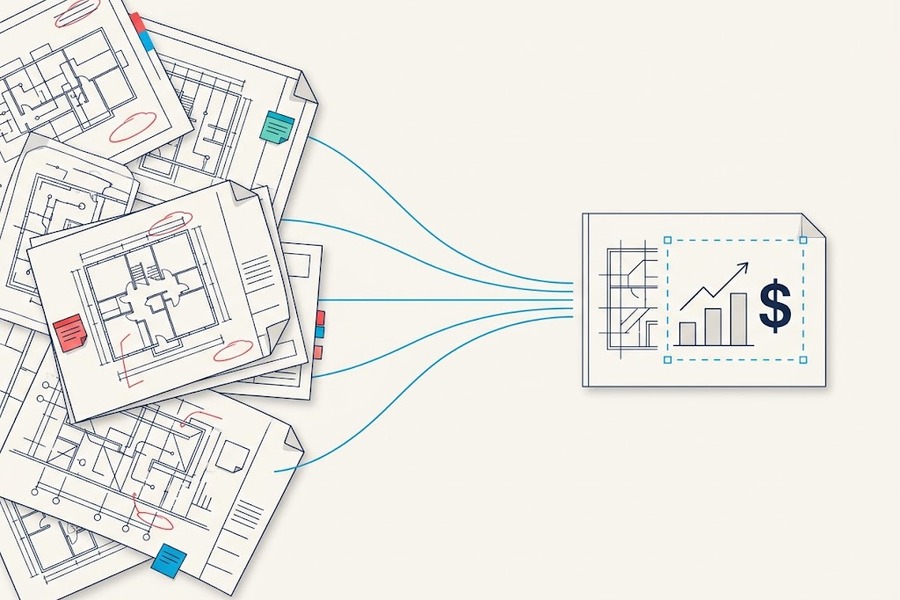
The super finds the drawing eventually — version 7, when he needed version 9, buried somewhere in a shared drive that nobody has organized since the last PM left. Forty minutes gone, plus the calls that followed, plus the rework that came after. None of it shows up on the job cost report.
That’s the thing about document management failures: they don’t announce themselves as failures. They show up, instead, as a bad morning, a slow week, a job that just never quite found its rhythm, and by the time anyone connects the dots back to a folder full of outdated PDFs, the money is already spent and the schedule is already gone.
You know this, and so does your PM, but the question is whether the person who controls the budget knows it — and whether you can walk into that office and make them see it the way you do. Most people can’t, not because they’re wrong about the problem, but because they bring the wrong argument. They bring the frustration instead of the math, describe the workflow instead of the cost, and hand a CFO a complaint when what they needed was a business case.
This piece is the business case. It’s for the PM, VDC lead or superintendent who is done getting the sympathetic nod and needs to close the room.
If you want the full cost picture first, read The Hidden Cost of Document Chaos. What follows is what you do with it.
Lead with a Number, Not a Complaint
A CFO who hasn’t stood in a trailer hunting for a drawing revision isn’t going to feel the cost of that problem intuitively, which means describing it won’t get you very far. You have to quantify it, and you have to make the number specific to your firm.
Start with the industry baseline. Construction professionals spend more than 14 hours a week on what one major study calls “non-optimal activities” — hunting for project data, resolving conflicts, dealing with rework rather than building or managing — and across the US workforce, that wasted time runs an estimated $177.5 billion a year in labor cost.
Here’s how to translate that into something that lands in your office. According to BLS May 2025 wage data, construction managers earn a mean $59.79 per hour, while first-line supervisors — the closest SOC match to superintendents — earn $41.56. Add benefits, which BLS benefits data puts at about 31% of total compensation, and the fully burdened rate runs roughly $86 an hour for a construction manager and $60 for a super.
Fourteen hours a week at those rates is $1,200 a week, per manager, in labor cost that isn’t producing anything. Multiply that by the number of PMs and supers on your active jobs, and the number stops being an industry statistic — it becomes a line on your income statement that nobody has labeled yet.
“$1,200 a week, per construction manager, in labor cost that isn’t producing anything.”
Rework compounds it further. The Construction Industry Institute puts direct rework at about 5% of total project cost, and nearly half of that traces back to poor communication and bad project data rather than bad workmanship. On a $30 million job that’s $1.5 million, and on a portfolio of $30 million jobs, the compounding is the kind of number that tends to get a CFO’s attention.
RFIs stack on top of that. A Navigant Construction Forum analysis of more than 1.1 million RFIs across 1,362 projects found the average large project generates 796 of them, each costing about $1,080 to process — roughly $860,000 per project in RFI overhead before anyone swings a hammer. The median response time was 9.7 days, and about 22% of RFIs never got a response at all, a rate Navigant flagged as a leading predictor of disputes and claims.
What the current workflow costs, by the numbers
| Cost driver | Benchmark | Source |
| Time lost to non-optimal activities | More than 14 hours per person, per week | FMI and PlanGrid |
| Labor cost of that lost time, U.S. workforce | $177.5 billion a year | FMI and PlanGrid |
| Fully burdened hourly rate, construction manager | About $86 | BLS wage and benefits data |
| Fully burdened hourly rate, first-line supervisor | About $60 | BLS wage and benefits data |
| Weekly cost of 14 lost hours, per construction manager | About $1,200 | Calculated from the rates above |
| Direct rework | About 5% of total project cost | Construction Industry Institute |
| RFIs on an average large project | 796 | Navigant Construction Forum |
| Cost to process one RFI | About $1,080 | Navigant Construction Forum |
| RFI overhead per project | About $860,000 | Navigant Construction Forum |
| Median RFI response time | 9.7 days | Navigant Construction Forum |
| RFIs that never get a response | About 22% | Navigant Construction Forum |
You don’t need all of those numbers. You need one that maps to something your CFO is already accountable for, with a firm-specific dollar figure attached to it. That specificity is what separates a business case from a grievance.
How do you translate a document management problem into language a CFO responds to?
CFOs don’t evaluate technology — they evaluate exposure. The field and the finance office are looking at the same failure through different instruments: one sees a lost morning, the other sees nothing, because no report captures it. A request earns budget when it makes that invisible cost show up where finance already looks.
CFOs think in three categories — margin, risk and labor cost — and the document management problem has a real story in all three. Your job is to tell it in their language rather than yours.
On margin, the numbers are more uncomfortable than most people realize. The CFMA 2025 Financial Benchmarker, which analyzes data from more than 1,500 construction companies, puts pretax net income for commercial GCs and CMs at 4.4% — not the 5–6% that gets thrown around in general industry discussions. At 4.4%, a rework event running 5% of contract value doesn’t just eat into profit; it erases the job’s margin entirely and then keeps going. That’s the reframe worth landing with a CFO: document-driven rework isn’t an operational nuisance; it’s a margin event that can flip a job from profitable to a loss.
On risk, the exposure is quieter but just as real. Every unanswered RFI and every version conflict is a potential claim waiting for a trigger, and the audit trail that doesn’t exist today is the one you’ll need in six months when a sub says they built off what they were given. Courts and arbitrators don’t care that the right drawing existed somewhere in a shared drive; they care whether you can prove who had what version and when. The cost of not being able to prove it often dwarfs the cost of the original mistake.
On labor, the math is straightforward and uncomfortable in equal measure. Construction wages rose 4.2% year over year as of August 2025, the most recent year for which data are available, and the industry needed to attract 349,000 net new workers in 2026 on top of normal turnover, per ABC. Meanwhile, 92% of construction hiring firms report difficulty filling positions, and 45% name worker shortages as the leading cause of project delays, according to AGC’s 2025 Workforce Survey. Firms are paying more for experienced people than they ever have at exactly the moment those people are hardest to find, which makes sending them into the week with 14 hours of information-hunting baked into their schedule not just inefficient, but the most expensive possible use of the industry’s scarcest resource.
What’s the most effective way to structure a construction technology business case?
A business case gets funded in order: the problem, its price, proof that a peer solved it, then the ask. The order is the argument. A CFO who hears the solution before feeling the cost has nothing to weigh it against, and a request with nothing to weigh against it gets deferred.
Every CFO in this industry has the same four questions before they approve anything, and the goal isn’t to surprise them with the problem — it’s to make it impossible for them to set it aside.
Start with something specific rather than a category. Not “our document management isn’t working,” but the version conflict on the Riverside Avenue project that cost two weeks of rebar schedule, or the RFI that sat 11 days and triggered a change order nobody budgeted for, or the closeout package that took six weeks to assemble because nothing had been documented in one place throughout the job. A real thing that happened, with a real cost attached to it. Specificity does what statistics can’t — it makes the problem real to someone who wasn’t there.
Then put a number on it. Use the industry benchmarks as a floor — 5% rework, $860,000 in RFI overhead per project — and build toward your own. Firm-specific data always leads, but if you don’t have it, the benchmarks still establish what the category typically costs, and your firm’s experience is unlikely to be better than average.
Then show them a firm that fixed it, because this is where the room usually turns.
- DPR Construction was staring down a 31-day schedule delay on the Alta Bates Summit Medical Center project in Oakland — a $500 million hospital expansion where every day of delay carries a very specific dollar figure. Rather than continuing to pass PDFs back and forth between the engineer of record and the rebar detailer, the team ran real-time collaborative reviews using Bluebeam Studio Sessions, which cut the submittal review cycle by more than 33% and compressed a 25- to 30-workday process into 10 to 12 days. Up to 10 days of schedule recovery, per review cycle.
- Balfour Beatty put a dollar figure on the same principle at its DFW Airport renovation: $5 million in project savings from centralizing documents and giving field teams real-time access to current information. The savings didn’t come from better technology in any abstract sense; they came from fixing the moment where the wrong information reached the wrong person.
- Premier Mechanical saved $70,000 digitizing project delivery, and Turner Construction cut paper costs 73% making the same shift. Rudolph and Sletten, a commercial GC running projects north of $500 million, cut preconstruction review times 30% by standardizing on Bluebeam Studio.
Different firm types, different project sizes, same pattern: the savings don’t come from the tool itself; rather, they come from the workflow the tool makes possible.
Close with a specific ask rather than a category. Not “better document management,” but a defined scope: standardized drawing workflows across active projects, with version control and a single shared set accessible to field teams in real time. That’s something that can get a line item. A category cannot.
What objections should you expect when making the case for construction document management software?
The four objections that stall most construction technology proposals — cost, adoption, integration and rollout complexity — all have the same underlying structure: risk aversion. Each one is most effectively answered by reframing the risk. The status quo isn’t the safe option; it’s just the one whose costs don’t get tracked.
If you’ve walked in without answers to all four, you haven’t finished preparing.
“What does it cost?” Less than one rework event on a mid-size job, and that’s before you count the schedule impact or the claim exposure. The more useful frame is total cost of ownership vs. total cost of the status quo, and the Bluebeam ROI calculator can help you build that comparison before you walk in. Come with the math already done.
“Will the field actually use it?” This is the right question, and it deserves a real answer rather than a reassurance. AGC’s 2025 Workforce Survey found 43% of construction firms name lack of time to implement and train as a primary obstacle to tech adoption, because the most powerful platform in the category is worthless if the foreman won’t open it on his phone in a trailer with bad signal. Bluebeam earns 4.7 out of 5 on Capterra across nearly 1,000 verified reviews, and on G2’s head-to-head with Procore, it leads on “Meets Requirements” (9.2 vs. 8.8) and “Ease of Setup” (8.5 vs. 8.2). It was built around the drawing rather than added to a broader platform as a module, and that focus shows up in how quickly field crews ultimately adopt it. The document management software evaluation guide is direct about the principle: ease of use for field crews is the criterion that determines whether any of this pays off.
“How does it fit with what we already have?” Bluebeam integrates with the PM platforms and design tools most construction firms already run, and many teams use it for drawing and markup work inside a Procore or Autodesk Construction Cloud-managed project — the two are complementary rather than competing. The more productive question isn’t whether Bluebeam fits in the stack; it’s whether the tools you already have are talking to each other the way they should.
“What does rollout look like?” Shorter than the question implies. A focused document and markup tool isn’t an enterprise ERP implementation — run a two-week pilot on a live project with a small crew, and you’ll know more than any demo or feature matrix could tell you. The risk of a two-week pilot that doesn’t work out is two weeks. The risk of another year of the current workflow is whatever you calculated it to be in step one.
What to Bring Into the Room
You don’t need a slide deck for this conversation. You need three things, and they should ideally fit on a single page you can hand across the table.
One number that represents your firm’s own estimate of what the current workflow is costing — in rework percentage, RFI overhead, or PM hours spent on non-building work. Use the industry benchmarks to anchor it, round it to something defensible, and don’t get too precious about the precision. The point is that you did the math and the number isn’t small.
One story from a firm that already fixed it. DPR, Balfour Beatty, Premier Mechanical, Turner and Rudolph and Sletten are all in the public record, so pick the one that maps most closely to your firm’s project type and scale. A story from a contractor doing the same kind of work you do lands differently than a case study from a world the CFO doesn’t recognize.
One specific ask with a defined scope — not a category like “better document management,” but a workflow: standardized drawing sets across active projects, version control, field access in real time, markups tracked from issue through closeout. That’s something that can get funded. The category cannot.
“The firms winning in this market haven’t found ways to absorb the cost of document chaos. They’ve found ways to stop incurring it.”
The Conversation You’re Having
Here’s what’s worth remembering before you walk into that room: you’re not there to explain technology. You’re there to explain money, and specifically the money the current workflow is costing the firm every time a project runs.
The document management problem is a margin problem, a risk problem and a problem about what your most expensive and hardest-to-replace people are doing with their time. CFOs have those conversations every day — they’re fluent in all of it — and the only thing separating the people who win those conversations from the people who get the sympathetic nod and a deferral is whether they showed up in the CFO’s language or their own.
The firms that have already won this argument aren’t running better technology in any abstract sense. They’re running better information: one set of drawings that everyone trusts, markups that are tracked and auditable, RFIs that move in hours rather than days, and closeout packages that get built throughout a project rather than assembled in a panic at the end. The technology is almost beside the point — what changed was who had access to what and when.
You know your firm’s version of the problem, you have the numbers to show what it’s costing and you have proof from firms that already fixed it. Now you have the structure for the conversation. Walk in and close it.
Bluebeam’s Document Management for Construction 2026 Guide lays out the full framework, and the document management software evaluation guide walks through how to evaluate the options and match a platform to your team’s actual workflow. Both are worth having open before the meeting.
Frequently Asked Questions
How much does poor document management cost a construction firm?
Construction professionals lose more than 14 hours a week to non-optimal activities such as hunting for project data, according to FMI and PlanGrid. At fully burdened BLS wage rates, that is about $1,200 a week per construction manager. Direct rework adds about 5% of total project cost, per the Construction Industry Institute, and RFI processing adds roughly $860,000 on an average large project, per Navigant.
What is a typical profit margin for a commercial general contractor?
The CFMA 2025 Financial Benchmarker, drawn from more than 1,500 construction companies, puts pretax net income for commercial general contractors and construction managers at 4.4%. At that margin, a rework event equal to 5% of contract value erases the profit on the job.
How long does it take to pilot construction document management software?
A focused document and markup tool can be tested in a two-week pilot on a live project with a small crew. That is long enough to see whether field teams will use it, and the downside of a pilot that doesn’t work out is two weeks.
Does Bluebeam work with Procore and Autodesk Construction Cloud?
Yes. Bluebeam integrates with the project management platforms and design tools most construction firms already run, and many teams use it for drawing and markup work inside a project managed in Procore or Autodesk Construction Cloud. The tools are complementary rather than competing.